
Forza Horizon 6: Workarounds for Session Join Failures
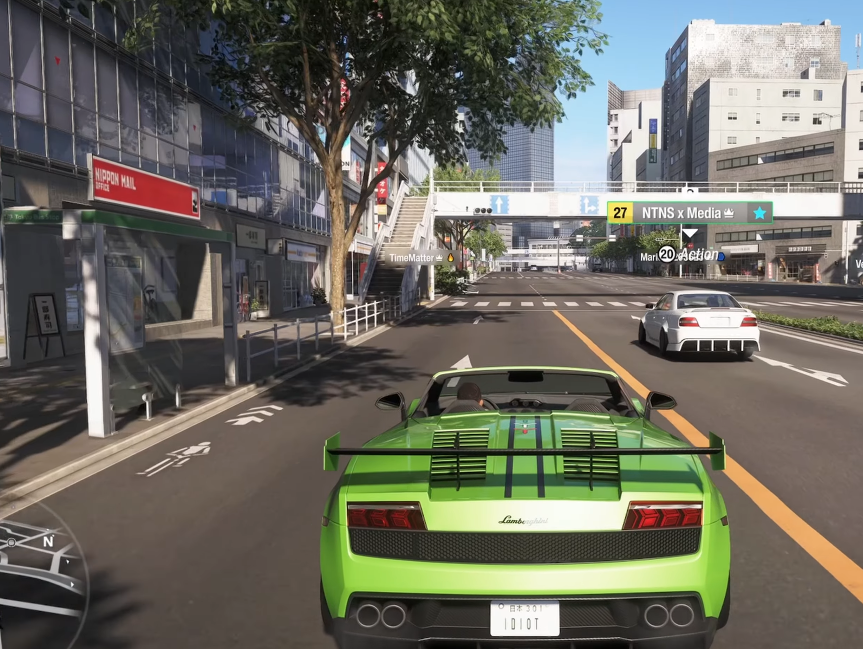
Few things are more frustrating in a new Forza launch than getting stuck on “Unable to Join Horizon Life” while everyone else is already cruising around online. Since launch, a lot of players have been running into region errors, random disconnects, convoy failures, and endless matchmaking loops in Forza Horizon 6.
The good news is that most of these issues are not permanent account bans or broken installs. In many cases, the problem comes from overloaded servers, failed region matchmaking, Teredo/IPsec restrictions, or corrupted session cache data. The community has already found several reliable workarounds that can get you back into Horizon Life without waiting for an official patch.
Here are the fixes and tricks that currently work best on both PC and Xbox.
In-Game Workarounds
Before changing router settings or reinstalling anything, try the in-game fixes first. These are the fastest methods and often work immediately.
The Convoy Force-Join Trick
This is currently the most successful community workaround for session join failures.
Open the pause menu, press Y to search for a public convoy, and choose the “Everything Goes” option. Instead of trying to directly connect to Horizon Life, the game attempts to attach your profile to an already active multiplayer lobby.
If successful, you will suddenly see real player gamertags driving around the map. Once that happens, you can safely leave the public convoy and invite your friends normally.
A lot of players report this bypasses failed regional matchmaking entirely because the game piggybacks onto an existing active session instead of creating a new one.
Cycle Between Horizon Solo and Horizon Life
Sometimes the game gets stuck retrying the same broken server node repeatedly.
To refresh it manually:
- Open the pause menu
- Switch to Horizon Solo
- Wait around 10 seconds
- Return to Play Horizon Life
This forces the game to establish a brand-new online handshake instead of reconnecting to the previous failed session.
It sounds simple, but it surprisingly fixes a lot of endless “Connecting…” loops.
Fast Travel to a Different Festival Site
Another small workaround players discovered is changing your current server region by moving around the map before reconnecting.
Fast travel to another Horizon Festival location, house, or major city area, then retry Horizon Life. Sometimes this pushes the game onto a less congested regional server cluster.
Avoid Joining Friends Directly from Dashboard Invites
Xbox dashboard invites occasionally fail even when multiplayer itself is working.
Instead:
- Launch the game fully first
- Enter free roam
- Connect to Horizon Life manually
- Open the in-game Friends/Convoy menu
- Join or invite from inside the game
This avoids broken external session handoffs.
PC Network Repair Steps
On PC, session failures are often caused by Windows networking issues, DNS corruption, or Xbox networking services failing silently in the background.
Flush DNS and Reset Winsock
If you play through Steam or the Xbox App, reset your network stack completely.
Open Command Prompt as Administrator and run:
ipconfig /release
ipconfig /renew
ipconfig /flushdns
netsh winsock reset
After running all commands, restart your PC immediately.
This clears cached routing conflicts and restores Windows socket communication that Forza relies on for peer-to-peer multiplayer.
Synchronize Windows Time
This sounds unrelated, but it matters more than people think.
Forza Horizon 6 uses Microsoft authentication certificates tied to accurate system time. If your PC clock drifts too far away from Microsoft’s servers, online authentication can silently fail.
To sync your clock:
- Right-click the taskbar clock
- Open Adjust date/time
- Enable automatic time
- Click Sync Now
After syncing, restart the game.
Add Firewall and Antivirus Exceptions
Security software frequently blocks Forza’s multiplayer traffic without fully notifying the user.
Make sure the following are allowed through Windows Defender Firewall or your antivirus suite:
- ForzaHorizon6.exe
- Xbox App
- Gaming Services
- Xbox Networking
This is especially important for Bitdefender, Kaspersky, Norton, and some custom VPN/firewall setups.
Disable VPNs and Network Filters
VPNs can trigger region mismatch errors or unstable matchmaking because the game constantly validates server region routing.
Temporarily disable:
- VPN software
- Traffic filtering tools
- Custom DNS filters
- Packet inspection utilities
Then restart the game and reconnect.
Repair Xbox Networking Services
If the Xbox app itself is malfunctioning, multiplayer services may never initialize properly.
Open:
Settings → Gaming → Xbox Networking
Check these statuses:
- NAT Type
- Server Connectivity
If Server Connectivity says “Blocked,” click Fix It and reboot your PC afterward.
Console Fixes (Xbox Series X|S)
Xbox players mainly run into NAT restrictions, cache corruption, or regional routing problems.
Clear Alternate MAC Address
This is one of the most reliable Xbox fixes for Horizon Life errors.
Go to:
Settings → Network Settings → Advanced Settings → Alternate MAC Address
Choose Clear.
Your Xbox will reboot automatically. This flushes old routing tables and forces a fresh network negotiation with Xbox Live servers.
A lot of players report this immediately fixes region errors like 0x89236233 or failed session joins.
Check NAT Type
Forza multiplayer works best with an Open NAT.
To check:
Settings → Network Settings
If your NAT reads Moderate or Strict, multiplayer connectivity becomes inconsistent.
The easiest fix is enabling UPnP inside your router settings. Once enabled, reboot both your router and Xbox.
Perform a Full Power Cycle
Quick Resume sometimes preserves broken multiplayer sessions in memory.
Instead of simply restarting the game:
- Hold the Xbox power button for 10 seconds
- Unplug the console for 1 minute
- Restart everything fresh
This clears temporary network cache data more effectively than a normal reboot.
Account and Server Synchronization Fixes
Sometimes the issue is tied to your Xbox profile rather than your network.
Sign Out and Back Into Xbox Live
Completely sign out of your Xbox profile, restart the game, then log back in.
This refreshes:
- Multiplayer tokens
- Xbox authentication
- Cloud synchronization
- Online permissions
It can also fix situations where convoy invites never appear.
Verify Crossplay Permissions
Some Xbox privacy settings silently block online sessions.
Check:
Settings → Account → Privacy & Online Safety
Ensure multiplayer and cross-network play permissions are enabled.
When the Problem Is Actually the Servers
Not every error is your fault.
During launch windows, update rollouts, or seasonal events, Horizon Life servers can become overloaded. When that happens, players often see:
- “Unable to Join Session”
- “Region Failed (0x0)”
- Infinite connecting loops
- Convoy disconnects
- Empty online worlds
In those situations, the best solution is honestly patience. Sometimes simply waiting 15–30 minutes before retrying works better than endlessly restarting the game.
You can usually tell it’s server-side if:
- Friends across different platforms have the same issue
- Social media reports spike suddenly
- Matchmaking partially works but disconnects repeatedly
- Horizon Solo works perfectly while Horizon Life fails
Thoughts
Forza Horizon 6 multiplayer problems are frustrating, but most session join failures can be worked around without reinstalling the game.
The convoy force-join trick currently seems to be the most reliable in-game solution, while PC players often fix the issue through DNS resets, Xbox networking repairs, or firewall exceptions. On Xbox, clearing the alternate MAC address and fixing NAT type still solve a huge percentage of connection problems.
 Spanish
 English
 Arabic
 French
 Portuguese
 Deutsch
 Turkish
 Dutch
Dutch
 Italiano
 Russian
 Romaian
 Portuguese (Brazil)
 Greek
Greek